Maximizing Your Holiday Designs with the Procreate Stamps Christmas Party Set
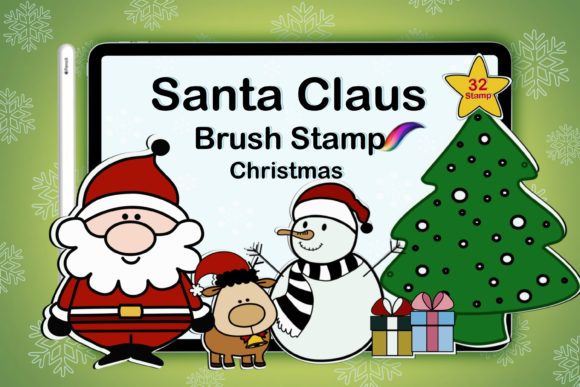
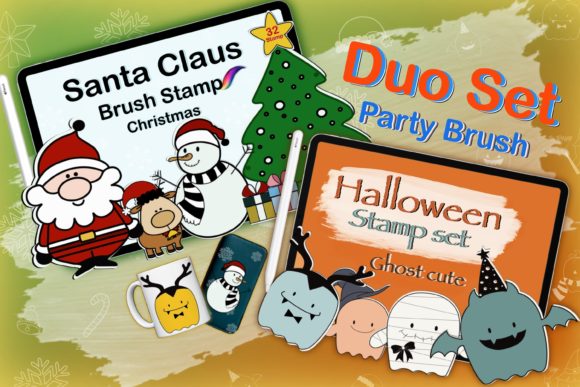
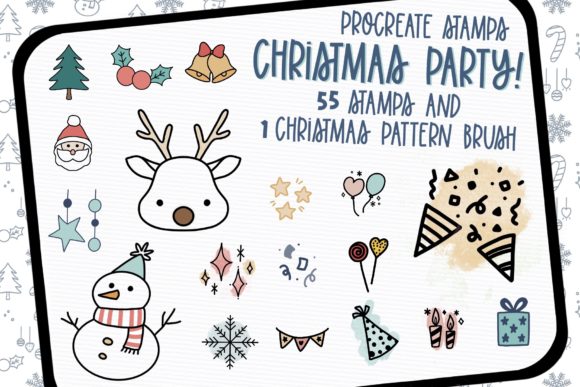
The holiday season brings a surge in creative demand, whether you are designing custom greeting cards for clients, crafting social media graphics for a small business, or simply making personalized gifts for family. In this rush to create, digital artists often turn to asset packs to speed up their workflow. The Procreate Stamps Christmas Party Set has emerged as a popular choice for those looking to inject festive charm into their projects quickly. This collection features 55 hand-drawn stamp brushes and one dedicated pattern brush, all tailored specifically for the iPad experience. However, acquiring these tools is only the first step; understanding how to integrate them effectively while avoiding common technical pitfalls is what separates amateur results from professional-grade designs.
Before diving into the creative possibilities, it is crucial to address the most frequent misunderstanding regarding this specific asset pack: software compatibility. A significant number of users purchase digital brushes expecting them to function universally across all design platforms. It is important to clarify that the Procreate Stamps Christmas Party Set will work only in the Procreate application on iPad. These files are coded specifically for Procreate's brush engine and will not function in Adobe Photoshop, Illustrator, Affinity Designer, or any desktop-based software. Attempting to import these files into unsupported applications leads to frustration and wasted time. If your primary workflow exists on a desktop, you must verify your toolset before purchasing. For iPad users, this limitation is non-existent, but for those hoping to bridge the gap between tablet sketching and desktop finishing, knowing this boundary upfront prevents unnecessary disappointment.
Avoiding the Trap of Over-Stamping
Once you have confirmed you are using the correct application, the next challenge is artistic restraint. The set includes 55 distinct hand-drawn elements, ranging from ornaments and holly to party hats and confetti. Because these stamps are so easy to apply with a single tap, there is a tendency for beginners—and even experienced creators under tight deadlines—to overuse them. Placing too many stamps on a single canvas can clutter the composition, making the final image feel chaotic rather than celebratory. When every inch of whitespace is filled with a stamped element, the viewer's eye has nowhere to rest, and the core message of your design gets lost.
To avoid this, treat the Procreate Stamps Christmas Party Set as accents rather than the foundation of your artwork. A better approach is to establish your main illustration or typography first, then use the stamps to frame the composition or add subtle texture to empty areas. For instance, instead of scattering snowflakes across the entire background, try grouping three or four varying sizes in a corner to create visual weight without overwhelming the subject. Remember that hand-drawn assets carry a specific organic texture; when layered too densely, this texture can become muddy. Use the opacity slider in Procreate to soften the impact of specific stamps, allowing them to blend more naturally with your background colors.
Understanding Scale and Resolution Issues
Another overlooked detail involves the scale at which these stamps are used. Hand-drawn brushes rely on specific line weights and textures that can degrade if resized incorrectly within the app. A common mistake is importing a stamp, placing it on the canvas, and then using the transform tool to enlarge it significantly. Doing so can cause the hand-drawn lines to appear pixelated or blurry, breaking the illusion of a crisp, high-quality illustration. This is particularly detrimental for entrepreneurs printing these designs on physical products like mugs, t-shirts, or large-format posters where resolution is paramount.
The corrective strategy here is to test your stamps at their intended output size early in the process. If you need a larger version of a specific element from the 55-stamp collection, it is often better to stamp it onto a new layer at a larger size initially, rather than scaling up a small instance. Additionally, utilize the included pattern brush wisely. Pattern brushes are designed to create seamless borders or backgrounds, but they can look repetitive if the scale is too uniform. Vary the size of the pattern stroke or combine it with individual stamps from the set to break up the repetition and create a more dynamic, custom look.
Workflow Efficiency and Layer Management
Efficiency is the primary reason creators invest in stamp sets, yet poor layer management can negate these time savings. When using a set with 55 different options, it is tempting to stamp everything onto a single layer to keep the layers panel clean. This is a critical error. If you decide later that the color of a specific bauble clashes with your palette or that a party hat is positioned slightly off-center, having all elements merged makes editing impossible without erasing and redoing work.
Adopt a disciplined layering habit from the start. Create a dedicated folder labeled "Christmas Stamps" and place each stamped element, or groups of related elements, on their own layers. This practice allows you to adjust the blending mode of individual items—perhaps setting a snowflake overlay to "Multiply" or a glow effect to "Add"—without affecting the rest of the design. For freelancers working with client revisions, this organization is invaluable. It demonstrates professionalism and ensures that last-minute changes, such as swapping a red ornament for a gold one, can be executed in seconds rather than minutes.
Making the Right Purchase Decision
Finally, before downloading or buying the Procreate Stamps Christmas Party Set, evaluate your actual project needs. Ask yourself if the hand-drawn aesthetic aligns with your brand or the specific vibe of your holiday campaign. While these brushes are versatile, they possess a distinct whimsical, sketched style. If your brand identity relies on sleek, vector-based minimalism, these organic stamps might clash with your existing visual language. In such cases, forcing these assets into your workflow can result in a disjointed presentation that confuses your audience.
Conversely, if you are a blogger, educator, or small business owner looking to add warmth and personality to your content, this set is an excellent investment. The inclusion of a pattern brush adds extra value, allowing for the creation of custom wrapping paper designs or unique background textures that set your content apart from generic stock photography. By verifying your software environment, practicing compositional balance, respecting resolution limits, and maintaining organized layers, you ensure that these tools enhance your creativity rather than hinder it. The goal is to let the tools serve your vision, resulting in holiday designs that are both efficient to produce and delightful to view.