Evaluating the Versatility of a Comprehensive Paint Brush Collection and Art Brush Set for Modern Design Workflows
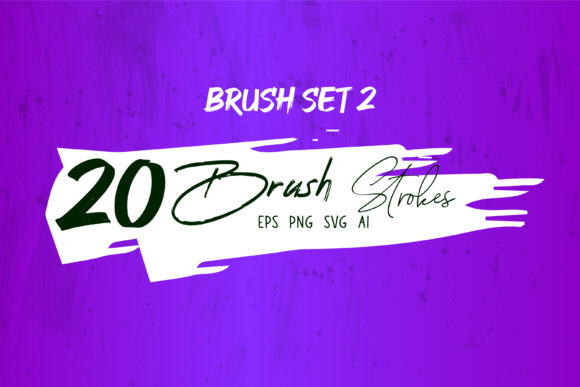
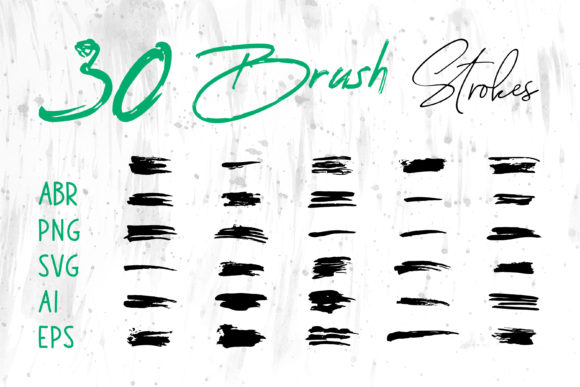
In the evolving landscape of digital art and graphic design, the tools an artist chooses often dictate the efficiency and quality of their output. A Paint Brush Collection or Art Brush Set is not merely a bundle of digital assets; it represents a foundational element of a designer's toolkit. However, not all brush sets are created equal. The true value of a premium collection lies in its versatility across software ecosystems and file formats. When evaluating resources for professional use, one must look beyond the aesthetic preview images and consider the technical deliverables: specifically, the inclusion of files in ABR, ProCreate, PNG, SVG, AI, EPS, and specialized Brush Strokes.ai formats. This multi-format approach ensures that creatives can seamlessly integrate high-quality strokes into diverse environments ranging from Adobe Illustrator and Photoshop to everyday office suites like MS Word and PowerPoint.
The Strategic Advantage of Multi-Format Compatibility
The primary distinction between a standard brush pack and a comprehensive Art Brush Set is the breadth of file formats provided. Many entry-level collections offer only raster-based brushes (such as .ABR for Photoshop), which limits their utility to pixel-based editing. In contrast, a robust Paint Brush Collection designed for professional adaptability includes vector-based formats like SVG, AI, and EPS. This distinction is critical for designers who work across different mediums.
Vector formats allow for infinite scalability without loss of resolution. If you are designing a logo or a large-format banner, a raster brush might appear pixelated when enlarged. However, brush strokes delivered in AI or EPS formats remain crisp at any size. Furthermore, the inclusion of Brush Strokes.ai specifically caters to Adobe Illustrator users who need ready-to-use vector paths that can be manipulated, recolored, and reshaped instantly. On the other hand, the inclusion of PNG files with transparent backgrounds offers a universal solution. These can be dragged and dropped into almost any software, including non-design-specific programs like MS Word or MS PowerPoint. This makes the collection invaluable for corporate presenters or educators who need artistic flair but lack access to professional design software.
Comparing Raster vs. Vector Approaches in Brush Sets
When researching options, it is essential to understand the trade-offs between raster and vector brush technologies. A typical Paint Brush Collection focused on digital painting will prioritize ABR (Adobe Photoshop) and ProCreate files. These formats excel at simulating traditional media, offering texture, pressure sensitivity, and organic blending. They are the superior choice for concept art, digital scrapbooks, and realistic illustrations where the "feel" of the brush stroke is paramount.
Conversely, if your primary goal involves layout design, packaging, or web graphics, a set heavy on vector formats (SVG, AI) is often more practical. Vector brushes do not blend in the same way; instead, they provide clean, defined shapes that are easy to edit. A balanced Art Brush Set acknowledges this dichotomy by providing both. For instance, you might use the ProCreate brushes for the initial sketching and texturing phase on an iPad, then switch to the SVG or AI versions of those same strokes to finalize the artwork in Illustrator for print production. This hybrid workflow eliminates the need to purchase separate packs for different stages of the design process.
Software-Specific Utility and Integration
The utility of a brush collection is directly tied to the software ecosystem you inhabit. For users deeply embedded in the Adobe Creative Cloud, the presence of ABR and AI files is non-negotiable. ABR files allow for dynamic brush settings within Photoshop, enabling artists to adjust spacing, scatter, and texture dynamically. Meanwhile, AI files function as pattern brushes or art brushes within Illustrator, allowing a stroke to follow a path automatically.
However, the modern designer often works outside these walled gardens. The inclusion of PNG and SVG files bridges this gap. MS PowerPoint and MS Word have become surprisingly capable design tools for quick marketing materials. By having high-resolution PNG brush strokes, a user can enhance a slide deck or a document header without needing to open Photoshop. Similarly, web designers can utilize SVG brush strokes directly in code or web design platforms, ensuring fast load times and sharp rendering on high-DPI screens. This cross-platform compatibility transforms a simple brush set into a versatile asset library suitable for T-Shirt printing, Packaging design, and Social Media Banners alike.
Assessing Use Cases: From Craft Projects to Commercial Branding
Determining whether a specific Paint Brush Collection fits your needs requires analyzing your intended projects. For Craft Projects and Digital Scrapbooks, the aesthetic variety and texture of the brushes are crucial. Here, the ProCreate and ABR formats shine, allowing for layered, textured compositions that mimic paper and paint. The ability to download these strokes as individual PNG files also facilitates their use in collage apps or simpler editors.
In the realm of commercial branding, such as creating a Logo or Book Cover, precision and scalability take precedence. A logo built with raster brushes may fail when printed on a billboard or embroidered on a uniform. Therefore, a collection that includes EPS and AI vector strokes is indispensable for these applications. It allows the designer to outline the strokes, modify anchor points, and ensure brand consistency across all media. For Website headers and Banners, the decision often hinges on file weight and responsiveness. SVG brush strokes offer the best of both worlds: the artistic look of a hand-painted stroke with the lightweight, scalable properties of code.
Limitations and Decision Factors
While a multi-format Art Brush Set offers extensive flexibility, it is not always the most efficient choice for every scenario. If a user exclusively works in a single raster environment and has no need for vector scaling or cross-software compatibility, a specialized, single-format pack might offer deeper customization options for that specific tool. Additionally, managing a large library of files in multiple formats (ABR, PROCREATE, PNG, SVG, AI, EPS) requires organized digital asset management. Users must be prepared to sort and categorize these files to avoid workflow bottlenecks.
Another consideration is the learning curve associated with vector brush manipulation. While applying a PNG stamp is intuitive, effectively utilizing AI pattern brushes or editing SVG paths requires a fundamental understanding of vector geometry. Beginners focused solely on digital painting might find the vector components overwhelming initially, whereas seasoned graphic designers will likely view them as essential.
Making an Informed Choice
Ultimately, the decision to invest in a comprehensive Paint Brush Collection depends on the diversity of your projects and the range of tools you employ. If your workflow involves jumping between iPad sketching, desktop vector illustration, and quick document formatting, a set that delivers Brush Strokes.ai, ProCreate, and universal image formats is the most logical investment. It future-proofs your assets, ensuring that a brush stroke created today can be utilized in a T-Shirt mockup tomorrow or a Packaging label next month without quality degradation.
By prioritizing collections that offer this breadth of format support, you reduce the friction in your creative process. You eliminate the need to convert files manually or search for alternative assets when switching software. Whether you are designing a Social Media Banner, illustrating a children's book, or polishing a corporate presentation, the right Art Brush Set acts as a universal translator for your creativity, adapting to the requirements of any platform you choose to work on. Evaluate your current software stack and your projected project types carefully; the most valuable resource is not just the one with the prettiest strokes, but the one that integrates most seamlessly into your unique operational reality.