Unlock Creative Freedom with a Versatile Watercolor Brush Set
There is something undeniably magical about the look of watercolor. The way colors bleed, blend, and settle on a surface adds a layer of organic warmth that flat digital vectors often struggle to replicate. However, mastering traditional watercolor techniques takes years of practice, specific materials, and a dedicated studio space. This is where a comprehensive Watercolor Brush Set becomes a game-changer for modern creators. It isn't just a collection of digital tools; it is a bridge between the tactile feel of traditional art and the efficiency of modern design software.
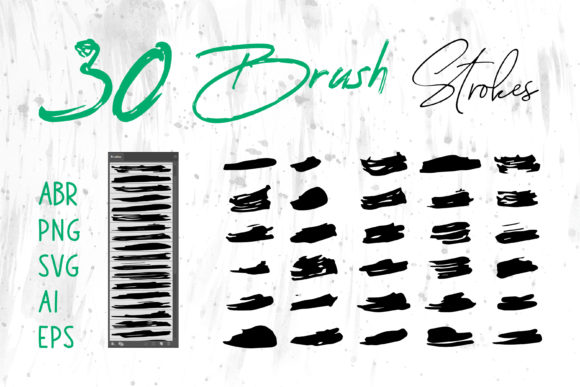
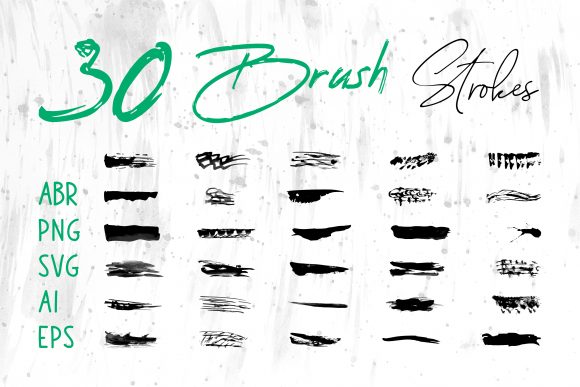
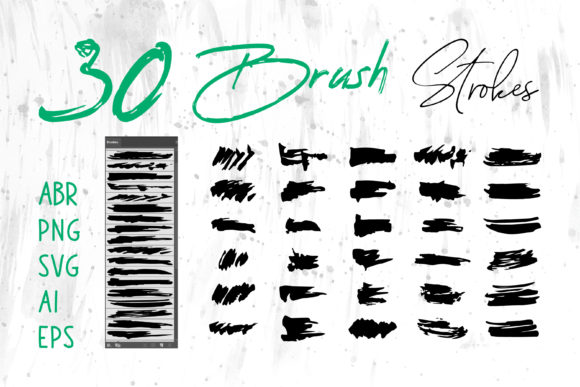
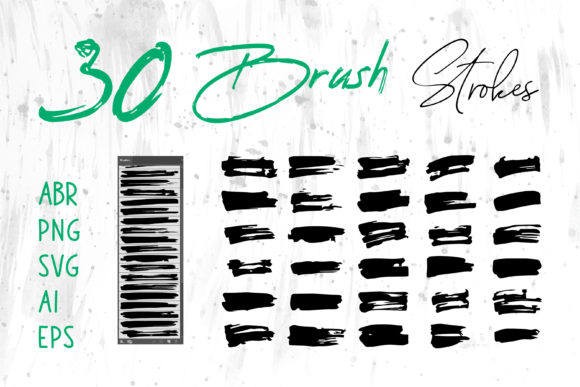
When you invest in a high-quality set that includes files like ABR for Photoshop, Brush Strokes.ai for Illustrator, and standalone formats like PNG, SVG, AI, and EPS, you are essentially buying versatility. You aren't limited to one program or one workflow. Instead, you gain the ability to inject hand-painted texture into virtually any project, regardless of the software you prefer or the final output you need.
Bridging the Gap Between Digital and Traditional
The primary appeal of these brush sets lies in their ability to mimic real-world physics without the mess. For a graphic designer working on a tight deadline, mixing paints and waiting for them to dry isn't an option. A robust Watercolor Brush Set allows you to create splashes, gradients, and textured backgrounds instantly.
Consider the file formats included in a premium package. Having ABR files means you can paint directly in Adobe Photoshop with pressure sensitivity, creating unique strokes every time you move your stylus. On the other hand, having pre-rendered Brush Strokes.ai or vector-based SVG and EPS files means you can scale those same strokes to the size of a billboard without losing a single pixel of quality. This duality is crucial. It allows you to start loose and experimental in Photoshop and then refine or vectorize elements in Illustrator for print production.
Real-World Applications Across Industries
The utility of these assets extends far beyond fine art illustrations. In the commercial world, the "hand-made" aesthetic is highly prized because it humanizes brands. Here is how different professionals leverage these tools in their daily workflows:
- Branding and Logo Design: Many startups want to appear approachable and artisanal. A logo featuring a watercolor splash or a hand-lettered name created with these brushes can convey creativity and warmth better than a sterile geometric icon. The vector formats (AI, EPS) ensure the logo remains crisp on business cards and storefront signs.
- Packaging Design: Think about the shelves in a boutique grocery store. Products like organic teas, craft soaps, and artisanal chocolates often use watercolor textures on their packaging to signal natural ingredients. Designers can use PNG overlays to add texture to label mockups quickly, giving clients a realistic preview before going to print.
- Fashion and Apparel: The T-shirt industry thrives on unique graphics. A watercolor floral pattern or an abstract background created with these brushes can be printed on fabric using direct-to-garment technology. Because the set includes transparent PNGs, placing these designs onto dark or light garments is seamless.
- Publishing and Book Covers: Fiction genres like romance, fantasy, and literary fiction often benefit from the emotional depth of watercolor. A cover designer can layer multiple brush strokes to create a moody atmosphere that draws a reader in. The ability to edit these layers in Photoshop provides total control over the composition.
Empowering Non-Designers and Hobbyists
You don't need to be a professional graphic designer to benefit from a Watercolor Brush Set. In fact, some of the most creative uses come from educators, small business owners, and hobbyists who need to elevate their visual communication.
Imagine a teacher creating engaging worksheets or classroom decorations. By importing PNG brush strokes into MS Word or MS PowerPoint, they can break away from boring clip art and create custom headers, borders, and background elements that make learning materials visually stimulating. Similarly, a wedding planner designing their own invitation suites can use these assets in user-friendly design tools to create bespoke stationery that looks professionally illustrated.
Digital scrapbookers also find immense value here. Traditional scrapbooking involves cutting paper and gluing photos, which can be bulky and prone to damage. Digital scrapbooking allows for infinite experimentation. With a library of watercolor elements, users can build intricate pages that capture memories with an artistic flair, easily sharing them online or printing them as photo books.
Technical Considerations and Workflow Efficiency
While the creative possibilities are endless, choosing the right format for the job is key to maintaining workflow efficiency. Understanding the strengths and limitations of each file type will save you hours of frustration.
If your final output is for the web, such as a Social Media Banner or website header, PNG files with transparency are your best friend. They load quickly and look great on screens. However, if you are preparing a file for large-format printing, such as a trade show banner or product packaging, you should rely on the vector files (SVG, AI, EPS). Vectors are mathematically defined shapes, meaning they can be scaled up infinitely without becoming pixelated or blurry.
For those working in Adobe InDesign for layout projects like magazines or brochures, having both options is beneficial. You might place a high-resolution PNG for a quick layout proof, but link to the EPS file for the final press-ready document to ensure maximum print fidelity.
Navigating Common Challenges
One common consideration when using digital watercolor brushes is color management. Screens display color in RGB (light), while printers use CMYK (ink). A vibrant blue on your monitor might look duller when printed. Always check your color profiles before finalizing a project, especially when using pre-made Brush Strokes.ai files. Additionally, while these brushes simulate randomness, using the exact same stroke repeatedly can make a design look repetitive. The beauty of the ABR Photoshop brushes is their dynamic nature; vary your pressure and angle to keep the result looking organic and authentic.
Another factor is layer organization. When building complex compositions in Photoshop or ProCreate, it is easy to end up with hundreds of layers. Naming your layers and grouping your watercolor elements logically will make future edits much simpler, whether you are tweaking a client's logo or adjusting a book cover layout.
The Value of a Multi-Format Library
Ultimately, the true power of a comprehensive Watercolor Brush Set lies in its adaptability. Life rarely follows a linear creative path. You might start a project in ProCreate on an iPad during a commute, finish the illustration in Photoshop at your desk, and then lay it out in InDesign for a client presentation. Having all your assets available in ABR, PNG, SVG, and AI formats ensures that you never hit a technical roadblock.
Whether you are designing a Craft Project for a local fair, creating a Digital Scrapbook for a family reunion, or developing a full brand identity for a new business, these tools provide the artistic foundation you need. They remove the barrier of entry for traditional painting while retaining the soulful aesthetic that makes watercolor so enduringly popular. By integrating these resources into your toolkit, you open the door to a wider range of creative solutions, allowing your ideas to flow as freely as the paint itself.