Enhancing Digital Florals: A Practical Guide to Procreate Brush Stamps and Rose Flower Stamps
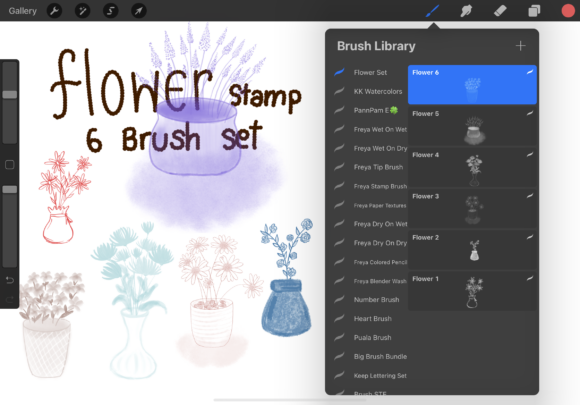
Digital illustration on the iPad has evolved from simple sketching to complex, layered artwork that rivals traditional media. For artists working within the Procreate ecosystem, the efficiency of their workflow often hinges on the quality and versatility of their toolset. Among the most sought-after resources are specialized stamp brushes, particularly those focused on botanical elements. A Procreate brush stamp designed specifically as a Rose flower stamp offers a unique intersection of speed and artistic control. Unlike standard painting brushes that require building an image stroke by stroke, stamp brushes allow for the instantaneous placement of pre-rendered shapes, textures, or illustrations. This article evaluates the utility of comprehensive rose stamp collections, analyzing how they fit into various design workflows, their advantages over manual drawing, and the specific scenarios where they provide the most value.
Understanding the Mechanics of Rose Stamp Brushes
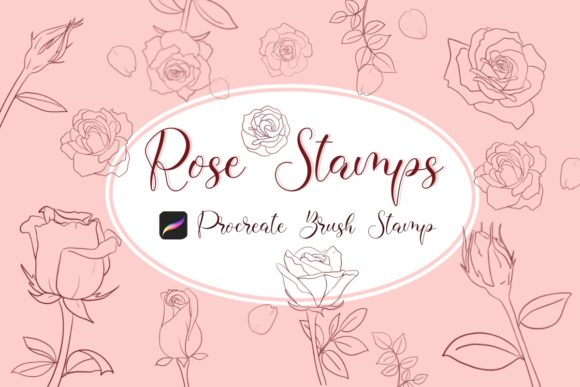
To make an informed decision about incorporating these tools into your library, it is essential to understand what distinguishes a high-quality Rose flower stamp from generic assets. A robust collection, such as one containing 14 distinct brushes comprising 10 full rose stamps, 3 petal variations, and 1 leaf stamp, provides more than just a single image. It offers a modular system for construction. The inclusion of separate petals and leaves is a critical differentiator; it allows the artist to deconstruct the flower and rebuild it in custom arrangements rather than being limited to a static, repetitive icon.
These tools function by utilizing Procreate's "Stamp" behavior. When you tap the screen with an Apple Pencil, the brush deposits the shape exactly as defined in the source file. The primary advantage here is the ability to fill color and manipulate the stamp after placement. Because these are vector-like in their flexibility within the raster environment, users can change the hue, saturation, and brightness of a stamped rose instantly without losing resolution. This capability transforms the brush from a mere sticker into a dynamic design element that can be adapted to match any color palette, from realistic botanical studies to stylized, flat-design graphics.
Comparative Analysis: Stamping vs. Manual Illustration
When evaluating whether to invest time in downloading and mastering a Procreate brush stamp set versus drawing flowers manually, the decision largely comes down to the trade-off between uniqueness and efficiency. Manual illustration offers unlimited creative freedom; every curve and shadow is dictated by the artist's hand in real-time. However, this approach is time-intensive and requires a high level of anatomical knowledge regarding floral structures.
In contrast, a dedicated Rose flower stamp collection serves as a shortcut for artists who need consistent, high-quality floral elements quickly. Consider a scenario where a designer is creating a pattern for fabric or wallpaper. Drawing hundreds of individual roses by hand would be prohibitively slow. Using a stamp set allows for rapid iteration. The artist can place a base rose, rotate it, adjust its color, and then use the separate petal and leaf stamps to add variation, ensuring the pattern does not look overly repetitive.
Furthermore, compared to importing static PNG images from a photo library, using native Procreate brush sets offers superior workflow integration. While a PNG can be dragged and dropped, it exists as a separate layer that must be managed individually. A brush stamp integrates directly into the brush library, allowing for seamless switching between drawing, shading, and stamping without leaving the canvas or navigating complex layer menus. This fluidity is particularly beneficial for iPad users who rely on the tactile experience of the Apple Pencil.
Evaluating Versatility and Design Applications
The true strength of a well-curated stamp set lies in its adaptability across different artistic styles. A common misconception is that stamp brushes are only suitable for beginners or those unable to draw. In reality, professional illustrators often use them as underpaintings or structural guides. For instance, an artist might use the Rose flower stamp to establish the composition and lighting of a piece, then paint over it with textured brushes to add depth and organic imperfections. This hybrid approach combines the speed of stamping with the nuance of hand-painting.
These tools are also invaluable for non-illustrators, such as graphic designers creating social media templates, invitation suites, or branding materials. The ability to instantly generate elegant floral motifs allows for rapid prototyping of design concepts. The inclusion of specific components like rose petals and leaves expands the utility beyond just whole flowers. Designers can create falling petal effects, frame borders, or subtle background textures that would be difficult to achieve with whole-flower stamps alone.
However, there are limitations to consider. If the goal is hyper-realism where every thorn and vein must be unique to a specific species of rose, a general stamp set may feel too uniform. In such cases, the stamp should be viewed as a starting point rather than the final product. The best-fit situation for these brushes is in stylized art, pattern design, decorative elements, and projects where aesthetic consistency is prioritized over botanical exactness.
Technical Implementation and Workflow Integration
Adopting new digital tools requires a smooth technical setup. The process of integrating a Procreate brush stamp into your workflow is designed to be straightforward, minimizing friction between purchase and creation. Upon acquiring the file, typically named something like Rose_Stamps.brushset, the installation process leverages the iPad's file management system.
- Download the Asset: Save the brush set file directly to your iPad, usually landing in the "Downloads" folder within the Files app.
- Locate the File: Navigate to the folder where the file was saved. You should see the
.brushsetextension, which indicates it is recognized by Procreate. - Import to Procreate: Tap the file once. If Procreate is installed and updated to the latest version, the application will automatically launch (or bring to focus) and import the entire collection into your Brush Library.
- Verification: Open Procreate and check the "Imported" section or your preferred brush folder to ensure all 14 brushes (roses, petals, and leaves) are present and functional.
It is crucial to ensure your software is up to date. Older versions of Procreate may not support newer brush engine features utilized in advanced stamp sets, leading to import errors or unexpected behavior. If issues arise during this process, most creators provide support channels, but often the solution is simply a software update or re-downloading the file to ensure it wasn't corrupted during transfer.
Making the Right Choice for Your Toolkit
Deciding whether a Rose flower stamp collection is the right addition to your digital arsenal depends on your current project demands and long-term goals. If you frequently find yourself sketching the same floral shapes repeatedly, or if you need to populate a design with consistent botanical elements, these brushes offer a significant return on investment in terms of time saved. They allow you to focus more on composition, color theory, and storytelling rather than the mechanics of rendering individual petals.
Conversely, if your primary focus is learning fundamental drawing skills or creating highly specific, one-of-a-kind botanical illustrations, you may prefer to rely on standard round or texture brushes to build your flowers from scratch. There is no rule against using both; many professionals maintain a hybrid library. They use stamps for background elements and quick mockups, reserving manual drawing for focal points.
Ultimately, the value of a Procreate brush stamp lies in its ability to remove barriers between idea and execution. By providing instant access to beautifully rendered roses, petals, and leaves, these tools empower artists to experiment more freely. Whether you are designing a wedding invitation, illustrating a children's book, or simply adding a touch of nature to your digital journal, the right stamp set can make the design process easier, quicker, and significantly more enjoyable. The key is to view these brushes not as a replacement for skill, but as an enhancement to your creative vocabulary.