Grungy Art Brush Collection: Versatile Textures
Imagine a blank canvas that feels too sterile, too perfect, and utterly lifeless. Now, picture dragging a rough, ink-stained tool across it, leaving behind a trail of grit, noise, and authentic imperfection. This is the immediate impact of integrating a Grungy Art Brush Collection into your creative workflow. These digital assets are not merely about adding dirt or decay; they are about injecting soul, history, and tactile reality into designs that might otherwise feel cold and manufactured. Whether you are working on a high-end branding project or a personal scrapbook, the ability to introduce organic texture can be the difference between a design that is seen and one that is felt.
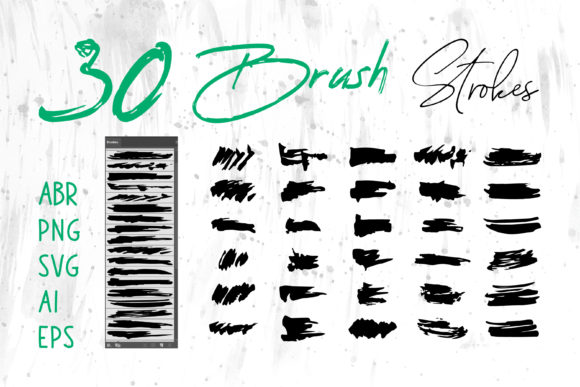
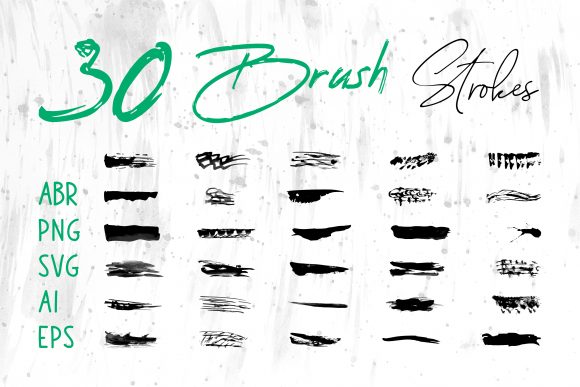
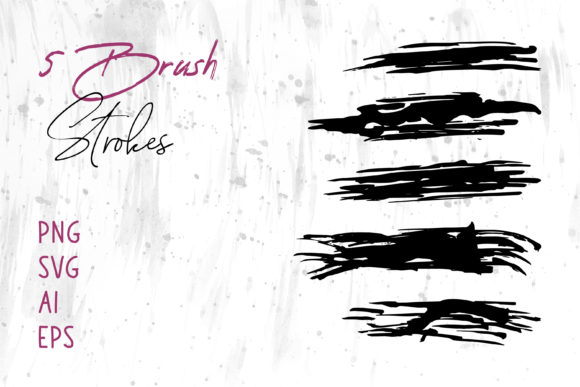
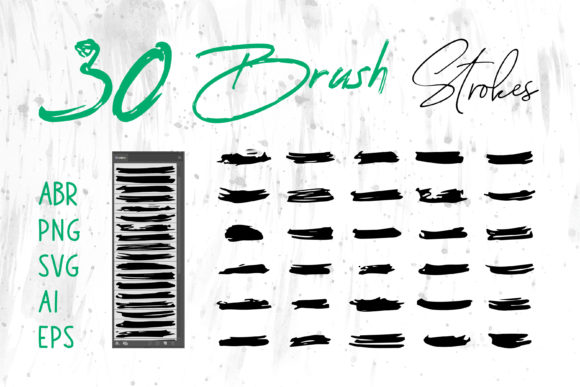
At its core, this collection serves as a bridge between traditional media chaos and digital precision. The package typically includes a comprehensive suite of files designed to function across the entire spectrum of creative software. You will receive standard .ABR files for seamless integration into Adobe Photoshop and Procreate, allowing painters and photo editors to apply strokes with pressure sensitivity and natural flow. Simultaneously, the inclusion of .AI, .EPS, and .SVG formats ensures that vector-based designers using Adobe Illustrator can scale these grunge elements to any size without losing clarity. For those who need quick, universal compatibility, PNG files with transparent backgrounds offer drag-and-drop simplicity for presentations, documents, and web layouts.
Why Texture Matters Across Different Disciplines
The value of a grunge brush set shifts dramatically depending on who is holding the digital pen. For a professional graphic designer, the priority is often efficiency and commercial viability. They need assets that look custom-made but save hours of manual texturing. A freelancer creating a logo for a craft brewery or a rock band might use the Brush Strokes.ai files to create a rugged emblem that scales perfectly from a business card to a billboard. The vector formats allow them to modify anchor points, ensuring the "grunge" doesn't interfere with legibility while still providing that edgy aesthetic clients demand.
In contrast, a hobbyist or digital scrapbooker approaches these tools with a focus on memory and emotion. They might use the PNG files in MS Word or PowerPoint to create personalized invitations or family history albums. For them, the "grunge" represents nostalgia—the look of an old photograph or a handwritten letter. The ease of dropping a pre-made texture onto a page allows them to focus on the story rather than struggling with complex layer masks in professional-grade software. The versatility of having multiple file types means a teacher creating a history presentation can easily add a weathered border to a slide in PowerPoint, making the content feel more immersive for students without needing a degree in design.
Tailoring the Tool to Your Skill Level
One of the most significant advantages of a multi-format collection is its accessibility to users of all skill levels. Beginners often feel intimidated by the complexity of Adobe Creative Cloud applications. However, because this collection includes universal formats like PNG and SVG, a novice can achieve professional-looking results in simpler programs like MS Word or free online editors. They can evaluate the collection based on ease of use; if they can drag a file onto their canvas and immediately see a compelling result, the tool has succeeded. There is no steep learning curve required to understand blending modes or vector pathfinding.
Conversely, experienced users and digital artists will evaluate the same collection based on flexibility and quality. They will dive into the .ABR files in Procreate or Photoshop to test the stroke dynamics. Does the brush respond to tilt? Does it vary in opacity naturally? Can they combine the raster brushes with the vector strokes to create unique hybrid effects? For a concept artist designing a post-apocalyptic game environment, the reliability of the texture library is paramount. They need to know that the grunge won't look repetitive when tiled across a large landscape. The presence of both raster and vector options allows them to choose the right tool for the specific task—raster for painting details, vector for UI elements.
Practical Applications for Business and Marketing
For entrepreneurs and small business owners, branding is everything. In a market saturated with clean, minimalist, and often generic corporate aesthetics, standing out requires a distinct visual voice. A Grungy Art Brush Collection offers a way to humanize a brand. Consider a packaging designer working on a line of organic soaps or artisanal coffee. Using the included brush strokes, they can create a label that feels handcrafted and earthy, signaling quality and authenticity to the consumer. The ability to export these designs in various formats ensures that the artwork works just as well on a physical product box as it does on a social media banner or website header.
Marketers and bloggers also find immense value in these assets when creating content for social media. Platforms like Instagram and Pinterest favor visuals that stop the scroll. A blog post header featuring bold, textured typography created with these brushes can increase click-through rates by appearing more dynamic and less "stock photo." Furthermore, the long-term usefulness of such a collection cannot be overstated. Unlike a single template that might go out of style, raw brush assets are timeless building blocks. They can be recolored, reshaped, and recombined indefinitely, providing a high return on investment for anyone looking to build a consistent yet varied visual identity over years.
Evaluating Quality and Long-Term Value
When deciding if this collection matches your goals, consider the scope of your projects. If you strictly work in print, the high-resolution PNGs and EPS files are critical for maintaining sharpness on press. If your work is primarily digital, the SVG and ABR files offer lightweight flexibility for web and app interfaces. The true power lies in the interoperability of the files. You might start a sketch in Procreate on an iPad using the ABR brushes, refine the lines in Illustrator using the AI vectors, and finally composite the image in Photoshop. This seamless workflow supports a wide range of creative endeavors, from book covers and t-shirt designs to complex digital illustrations.
Ultimately, the decision to adopt a Grungy Art Brush Collection comes down to a desire for authenticity. Whether you are an educator trying to make learning materials more engaging, a publisher designing a gritty novel cover, or a consumer creating a unique greeting card, these tools provide the necessary friction to make your work stand out. They remind us that perfection is often boring, and that there is profound beauty in the rough, the worn, and the imperfect. By offering a diverse array of formats, this collection ensures that regardless of your software preference or technical expertise, you have the means to add that essential human touch to your digital creations.