Mastering Texture: A Practical Guide to Using Grunge and Ink Brush Sets Across All Your Design Projects
There is a distinct moment in the creative process where a design feels too clean, too sterile, or simply lacking in soul. This is often where a well-curated Grunge Brush Set or an expressive Ink Brush Set becomes the difference between a generic template and a piece of art that resonates. Whether you are a seasoned graphic designer, a small business owner crafting your own branding, or a hobbyist looking to elevate your digital scrapbooks, understanding how to leverage these tools correctly is essential. However, the accessibility of these assets often leads to common pitfalls that can undermine the quality of your final output.
The primary appeal of these brush collections lies in their versatility. Unlike standard vector shapes, grunge and ink brushes introduce organic imperfection, texture, and human touch to digital work. They simulate the unpredictability of physical media, allowing you to create everything from rugged t-shirt graphics to elegant book covers. Yet, many creators make the mistake of treating all brush files as identical, regardless of the software they are using or the format they have downloaded. This oversight can lead to frustration, wasted time, and results that look pixelated or unprofessional.
Understanding File Formats and Software Compatibility
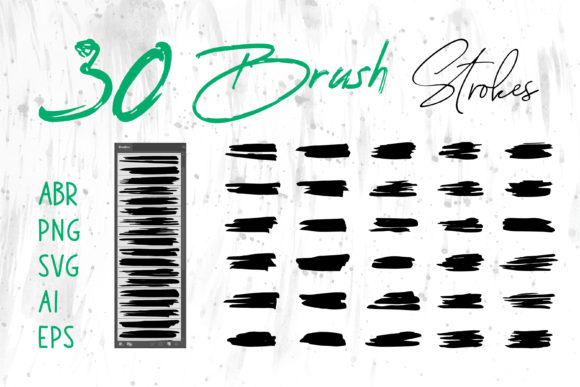
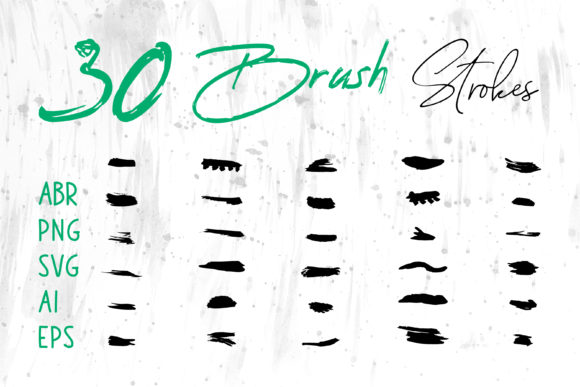
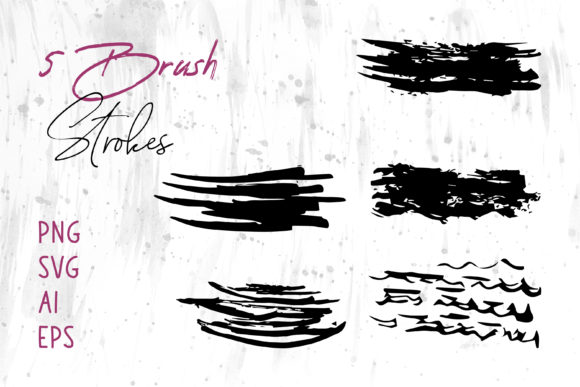
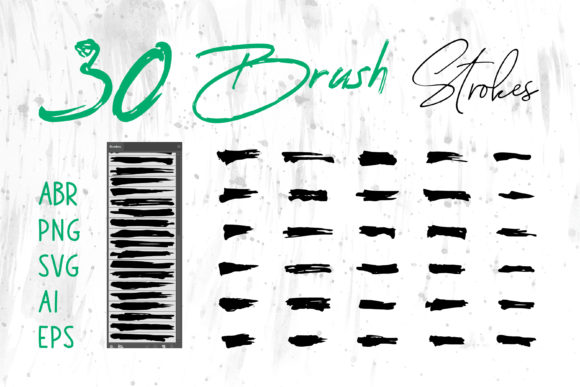
One of the most frequent errors occurs when users download a comprehensive pack containing multiple file types—such as .ABR, .PNG, .SVG, .AI, and .EPS—and attempt to use them interchangeably without understanding their specific functions. For instance, trying to load an .ABR file directly into Adobe Illustrator will not work, just as attempting to edit an .EPS stroke as a live brush in MS PowerPoint is impossible. Each format serves a unique purpose tailored to specific applications.
The .ABR files are native to Adobe Photoshop and ProCreate. These are dynamic; they react to pressure sensitivity and tablet tilt, making them ideal for hand-drawn effects. If you try to use a static PNG image of a brush stroke in Photoshop instead of the actual .ABR tool, you lose the ability to change colors non-destructively or scale the texture without losing quality. Conversely, vector formats like .AI, .EPS, and .SVG are crucial for scalability. If you are designing a logo or a large format banner, using a raster-based PNG might result in jagged edges when printed. Always match the file type to your software: use ABR for painting in Photoshop, and AI/EPS/SVG for scalable vector work in Illustrator or InDesign.
Common Mistakes in Application and Scale
Even with the correct file format selected, the application of grunge and ink elements often suffers from issues of scale and density. A common misunderstanding is that "more texture equals more character." In reality, overusing a heavy grunge overlay can make a design look muddy and unreadable, particularly on social media banners or website headers where clarity is paramount. When you apply a dense ink splatter across a entire background, you risk obscuring the message rather than enhancing it.
To avoid this, approach texture as a seasoning rather than the main course. Use the brush strokes to frame content, add subtle distress to edges, or create focal points. For example, when designing a packaging label, a single, well-placed ink stroke behind the product name can draw the eye without overwhelming the regulatory text. Another frequent error involves color selection. Many beginners leave grunge brushes in their default black or sepia tones. While classic, this limits integration. Remember that vector formats (AI, EPS, SVG) and properly configured raster brushes allow you to recolor strokes instantly to match your brand palette, ensuring cohesion across your marketing materials.
Maximizing Utility Across Different Platforms
The value of a multi-format brush set is its ability to transcend a single application. You might be designing a logo in Illustrator but need to present a mockup in PowerPoint or draft a proposal in MS Word. A mistake many entrepreneurs make is assuming high-quality graphics are reserved only for professional design suites. With the right files, you can maintain consistency across all your business communications.
For presentations in MS PowerPoint or documents in MS Word, the PNG files with transparent backgrounds are your best friend. They allow you to drop professional-looking ink accents onto slides without needing complex software. However, ensure you are using high-resolution PNGs; low-res web graphics will look blurry when projected on a large screen. For print projects like book covers or craft projects, the vector files (SVG, AI, EPS) are superior because they ensure crisp lines regardless of the print size. If you are creating digital scrapbooks or social media posts, the ProCreate compatible brushes offer a tactile feel that engages audiences scrolling through fast-paced feeds.
Strategic Selection for Specific Projects
Not every project requires the same level of grit. Choosing the wrong style of brush for the context can send mixed messages. A chaotic, heavy-grunge stroke might be perfect for a rock concert poster or a streetwear t-shirt design, but it could appear unprofessional on a corporate annual report or a children's book cover. Before applying a brush, ask yourself what emotion the texture conveys. Ink brushes often suggest elegance, tradition, or fluidity, making them suitable for logos and invitations. Grunge brushes imply age, resilience, or rebellion, fitting well with vintage packaging or edgy web banners.
Furthermore, consider the medium of delivery. If you are designing for a website, be mindful of file weight. While vector SVGs are generally lightweight, complex raster textures can slow down page load times if not optimized. For physical products like t-shirts, ensure the resolution of your raster brushes (if not using vectors) is at least 300 DPI to prevent pixelation during the printing process. A common oversight is designing on a screen at 72 DPI and expecting it to print clearly; always check your document settings before finalizing any asset intended for physical production.
Ultimately, the goal is to enhance your communication, not complicate it. By respecting the technical limitations of each file format and applying artistic judgment to the density and placement of your strokes, you can transform simple designs into compelling visual stories. Whether you are a freelancer delivering client work or a creator expressing personal vision, mastering these tools allows you to bridge the gap between digital precision and analog warmth. Take the time to organize your library, understand the strengths of each format, and apply them with intention. The result will be a portfolio of work that feels authentic, polished, and distinctly yours.