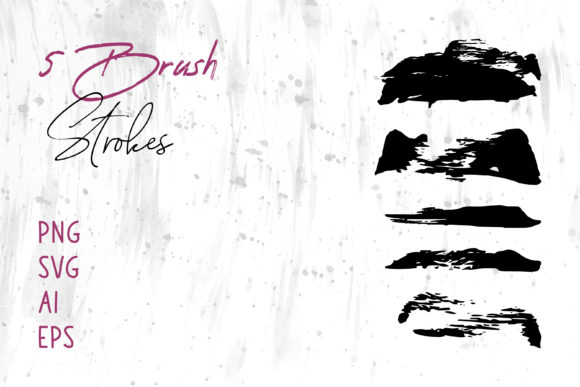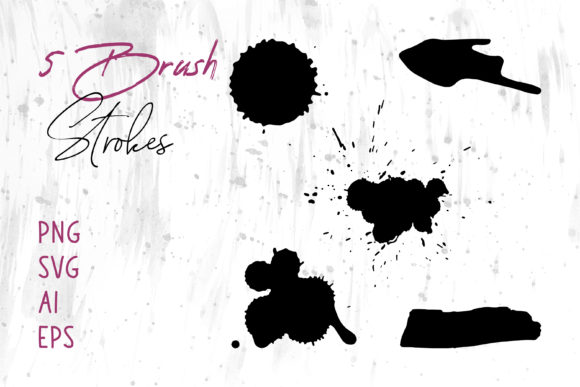
Mastering the Splash Brush Stroke Set and Ink Brush for Professional Design
There is a distinct moment in the creative process where a design feels flat, static, or overly digital. It lacks the energy and organic movement that captures human attention. This is precisely where a high-quality Splash Brush Stroke Set and Ink Brush collection becomes indispensable. Whether you are a seasoned graphic designer, a small business owner creating your own marketing materials, or a hobbyist working on a scrapbook, understanding how to leverage these assets correctly can transform a mediocre project into a standout piece. However, simply downloading a pack of brushes is not a magic wand; success lies in knowing how to select, apply, and integrate them without compromising the integrity of your work.
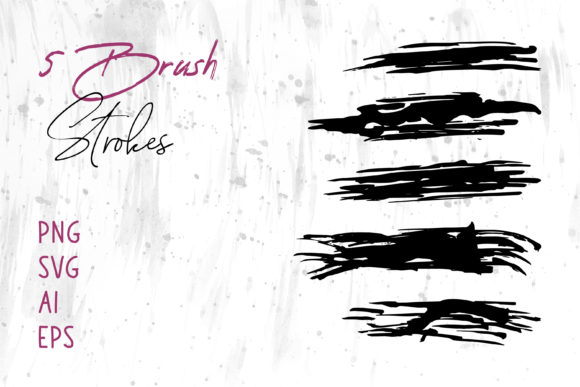
The primary appeal of an ink brush and splash stroke collection is its versatility. These elements mimic the unpredictable, fluid nature of real paint and ink, adding texture and dynamism that vector shapes alone often cannot achieve. When you acquire a comprehensive set that includes files in PNG, SVG, AI, and EPS formats, you are essentially buying flexibility. You gain the ability to drop a ready-made raster image into a document or manipulate a scalable vector path to fit a specific contour. Yet, many creators stumble early on by overlooking the technical nuances of these file types, leading to frustration and subpar results.
Avoiding the Format Trap: Choosing the Right File for the Job
One of the most common mistakes beginners make is treating all digital assets as interchangeable. You might be tempted to use a PNG file for a large-format print because it looks fine on your screen, only to discover jagged edges when it hits the printer. Conversely, trying to force a complex raster splash into a word processor that doesn't support transparency can ruin a clean layout. The solution is to understand the specific strengths of the formats included in your Brush Strokes.ai package.
For projects requiring infinite scalability, such as a Logo, Packaging design, or a massive Banner, you must prioritize the SVG, AI, or EPS files. These vector formats allow you to resize the ink stroke to the width of a building or the size of a business card without losing a single pixel of quality. If you attempt to scale a PNG beyond its original resolution, you introduce pixelation, which instantly signals low-quality production to your audience. On the other hand, if you are working in MS Word or MS PowerPoint for a quick presentation or internal document, the PNG files with transparent backgrounds are your best friend. They are lightweight, easy to drag and drop, and render consistently across different operating systems without requiring specialized design software.
Misunderstanding Transparency and Layering
Another frequent oversight involves how these brushes interact with background colors and images. A beautiful black ink splash can look fantastic on a white canvas, but if you place it directly over a busy photograph without adjusting the blending mode or opacity, it can create visual noise rather than emphasis. Many users forget to check if their PNG files actually have transparent backgrounds. Some lower-quality sets come with white boxes around the strokes, forcing you to manually remove the background—a tedious task that defeats the purpose of using pre-made assets.
To avoid this, always inspect your files immediately after downloading. Open a PNG in a viewer that supports transparency or place it over a colored rectangle in your design software. If you see a white halo, that asset may require extra work. Furthermore, when using these strokes in software like Adobe Photoshop or Indesign, experiment with blending modes like "Multiply" or "Screen." This allows the texture of the ink to interact naturally with the layers beneath it, creating a cohesive look rather than a sticker-like appearance. This subtle adjustment often separates amateur designs from professional ones.
Contextual Application: Where Less is Often More
Enthusiasm for new tools can sometimes lead to overuse. Just because you have a folder full of dramatic splashes and elegant ink lines does not mean every inch of your Website, Social Media Banner, or Book Cover needs to be covered in them. A common pitfall is cluttering the composition, which distracts from the core message or product. The ink brush should serve as an accent, a guide for the eye, or a frame, not the main event (unless the artwork itself is the focus).
Consider the purpose of your project. If you are designing a T-Shirt, a single, bold stroke behind the text can add street-cred and movement. However, filling the entire shirt with chaotic splatters might make the garment unwearable for most people. Similarly, in Digital Scrapbooks or Craft Projects, balance is key. Use the strokes to connect photos or highlight journaling entries, but ensure there is enough negative space for the content to breathe. A good rule of thumb is to add your brush elements, step back, and then remove one. Often, the design becomes stronger with less visual competition.
Software Compatibility and Workflow Efficiency
It is also crucial to verify software compatibility before you begin a time-sensitive project. While the promise of using these graphics in Adobe Illustrator, Photoshop, and Indesign is standard, integrating them into office suites like MS Word or PowerPoint requires a slightly different approach. Users often try to import AI or EPS files directly into Word, which can result in error messages or distorted images. The corrective action here is simple: convert your vector files to high-resolution PNGs before importing them into office software. This ensures stability and prevents formatting issues when sharing the document with others who may not have design plugins installed.
Moreover, organizing your assets can save hours of frustration. Instead of leaving your downloaded files in a generic "Downloads" folder, create a library sorted by style or color. When you are in the flow of creating a Card or a Marketing Flyer, hunting for the right stroke breaks your concentration. Having a curated selection ready to go allows you to maintain momentum and focus on the creative aspect rather than file management.
Making the Right Choice for Your Needs
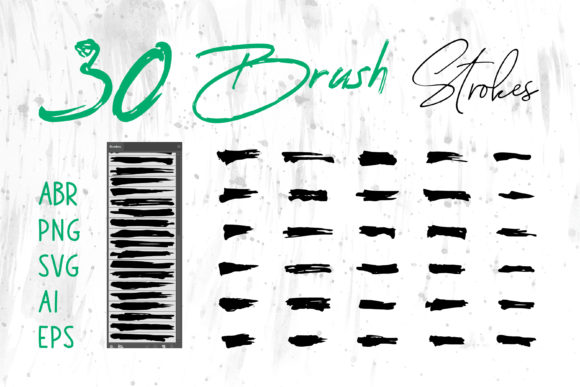
Before finalizing your decision to use a specific Splash Brush Stroke Set or Ink Brush pack, evaluate the resolution and variety offered. A set with only five variations limits your creative freedom, forcing you to reuse the same shapes repeatedly, which audiences will notice. Look for collections that offer a diverse range of weights, directions, and densities. Additionally, ensure the license permits your intended use, especially if you are creating products for sale like Packaging or Logos for clients.
Ultimately, the value of these tools lies in their ability to bridge the gap between digital precision and human touch. By respecting the technical limitations of file formats, applying the strokes with intentionality, and organizing your workflow efficiently, you can elevate your projects significantly. Whether you are crafting a heartfelt greeting card, launching a new brand identity, or sprucing up a quarterly report, the right ink brush applied correctly adds that layer of professionalism and artistry that resonates with viewers. Take the time to learn the tools, avoid the common traps of over-designing and format mismatches, and let the organic beauty of the splash stroke enhance your unique vision.