Unlocking Creative Potential: The Ultimate Guide to Grungy Brush Strokes and Multi-Format Design Assets
In the ever-evolving landscape of digital design, the pursuit of authenticity often leads creators away from sterile, perfect vectors and toward textures that feel human, raw, and tactile. At the forefront of this aesthetic movement are grungy brush strokes. These dynamic elements add depth, character, and a sense of organic imperfection to projects that might otherwise feel flat or overly manufactured. However, finding high-quality assets that work seamlessly across your entire workflow—from initial concept to final print—can be a challenge. This is where comprehensive asset packs become invaluable.
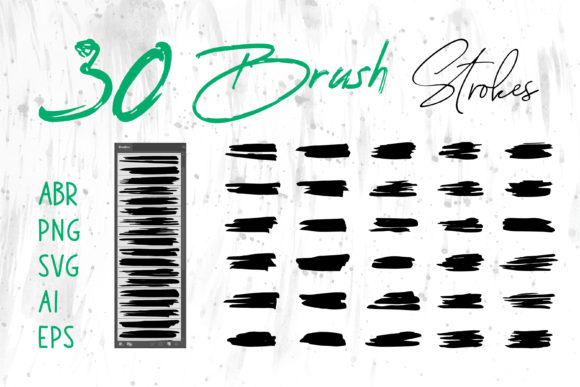
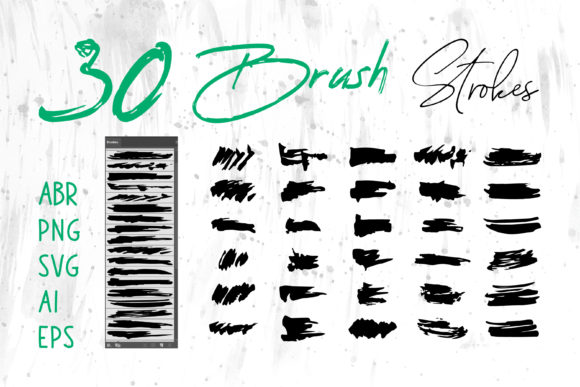
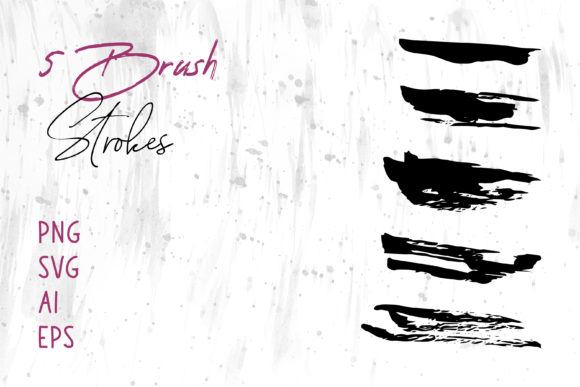
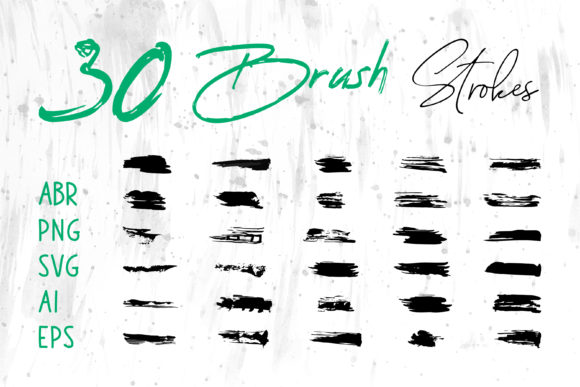
When you invest in a premium collection of brush strokes, you are not just buying a single image; you are acquiring a versatile toolkit designed for modern versatility. A top-tier package typically includes files in ABR (Adobe Photoshop Brushes), ProCreate formats, PNG with transparency, SVG for web scalability, and vector formats like AI, EPS, and Brush Strokes.ai for Adobe Illustrator. Understanding how to leverage these diverse file types allows designers, hobbyists, and business owners to elevate their work across platforms like Adobe InDesign, MS Word, MS PowerPoint, and beyond.
The Anatomy and Appeal of Grunge Textures
To truly appreciate the value of these assets, one must understand what makes a "grungy" stroke unique. Unlike standard digital brushes that simulate clean ink or smooth paint, grunge brushes mimic the unpredictability of dry media, worn stamps, or distressed surfaces. They feature irregular edges, varying opacity, and internal texture that suggests age or intensity.
The significance of this style lies in its psychological impact on the viewer. In a world saturated with polished, high-gloss advertising, grunge elements cut through the noise. They signal creativity, rebellion, urgency, or artisanal quality. Whether used in a rock concert poster, a craft project, or a modern tech startup's branding to suggest "disruption," these strokes create an emotional connection that clean lines often cannot.
Beyond the Canvas: Practical Applications in Modern Workflows
The utility of grungy brush strokes extends far beyond traditional digital painting. Because modern asset packs provide such a wide array of file formats, their application is nearly limitless. Let's explore how these graphics fit into various professional and personal contexts.
- Branding and Logo Design: Using AI or EPS vector files, designers can incorporate rough strokes into logos to give brands a hand-crafted feel. This is particularly effective for breweries, barber shops, streetwear clothing lines, and creative agencies.
- Packaging and Product Design: For physical products, texture is key. Applying these strokes to packaging mockups or actual print files adds a tactile dimension that encourages consumers to pick up the item.
- Digital Marketing: Social media banners and website headers benefit immensely from PNG files with transparent backgrounds. They break up white space and guide the user's eye without requiring complex coding or layer masking.
- Corporate Presentations: Even formal environments are embracing visual storytelling. By importing these graphics into MS PowerPoint or MS Word, professionals can create reports and slide decks that stand out from the generic corporate templates, making data visualization more engaging.
Navigating the File Formats: A User's Guide
One of the most common misunderstandings among beginners is assuming that all image files function the same way. A robust brush stroke pack solves this by providing specific formats for specific software ecosystems. Here is how you can maximize each file type included in a comprehensive download.
Raster vs. Vector: Knowing the Difference
The core distinction lies between raster images (pixels) and vector images (mathematical paths).
- ABR and ProCreate Files: These are native brush presets. When loaded into Adobe Photoshop or the ProCreate app on iPad, they allow you to "paint" directly onto your canvas. This offers the highest level of control, as you can vary pressure, size, and flow in real-time. This is ideal for digital scrapbooks, illustration, and creating unique T-shirt designs where no two strokes need to look identical.
- PNG Files: Portable Network Graphics are raster images with transparent backgrounds. These are "ready-to-use" stamps. You simply drag and drop them into your composition. They are perfect for users who do not need to paint live but want to place a specific texture quickly in tools like Canva, MS Word, or basic photo editors.
- SVG, AI, EPS, and Brush Strokes.ai: These are vector formats. This is a critical distinction for print professionals. Vectors can be scaled infinitely without losing quality. If you are designing a book cover or a large format banner, using the Illustrator compatible files ensures your edges remain crisp regardless of the output size. Furthermore, vector strokes can often have their colors changed instantly, offering flexibility that raster images lack.
Integration Across Software Ecosystems
The true power of a multi-format pack is interoperability. Imagine a workflow where you sketch a concept in ProCreate using the ABR equivalents, refine the shape in Adobe Illustrator using the EPS files, and then place the final graphic into an InDesign layout for a magazine spread. Alternatively, a teacher might use the PNGs to create engaging handouts in MS Word, while a social media manager uses the SVGs to create lightweight, fast-loading graphics for a website.
It is important to note that while MS PowerPoint and Word handle PNGs beautifully, newer versions also support SVGs, allowing for non-destructive scaling within office documents. This bridges the gap between professional design suites and everyday productivity tools.
Creative Projects and Everyday Inspiration
How does one actually start using these assets? The barrier to entry is lower than many assume. For those involved in craft projects, these digital assets can be printed onto transfer paper for heat presses, allowing DIY enthusiasts to create custom cards, tote bags, and home decor.
For digital scrapbookers, the variety of strokes provides the perfect framing elements to organize photos and journal entries, adding a nostalgic, textured feel that mimics physical paper crafting. In the realm of T-shirt design, grunge strokes are a staple. They allow designers to create vintage-looking graphics that appear worn and loved right off the press, a highly sought-after aesthetic in fashion retail.
Consider the application in book cover design. A thriller novel might use jagged, dark brush strokes to convey tension, while a memoir might use softer, washed-out strokes to suggest memory and fluidity. The ability to choose between a sharp vector edge or a soft, pixelated bleed gives the designer complete narrative control.
Common Misconceptions and Best Practices
A frequent assumption is that "grunge" means "messy" or "unprofessional." This is incorrect. Effective use of grunge requires intentionality. The goal is not to clutter the design, but to add focal points and texture.
Best Practice Tip: Always consider contrast. If your background is busy, a subtle stroke might get lost. Conversely, if your layout is minimal, a bold, heavy grunge stroke can serve as a powerful anchor. Additionally, when using vector files (AI, EPS) for print, ensure your color mode is set to CMYK if sending to a professional printer, whereas RGB is suitable for digital screens and social media banners.
Another misunderstanding involves the ABR files. Some users expect these to work in Illustrator immediately. It is crucial to remember that ABR is specific to Photoshop and ProCreate. For Illustrator, you must use the brush libraries provided in the .ai or .eps formats, or expand the vector shapes to manipulate them as objects.
Conclusion: Elevating Your Design Vocabulary
In conclusion, grungy brush strokes are more than just a trend; they are a fundamental tool for adding humanity to digital creation. By securing a comprehensive pack that includes ABR, ProCreate, PNG, SVG, AI, EPS, and specialized Brush Strokes.ai files, you future-proof your creative process. You gain the freedom to move between software like Photoshop, Illustrator, InDesign, and even office tools like MS Word and PowerPoint without compromising quality.
Whether you are designing a logo, crafting a greeting card, developing a website banner, or assembling a digital scrapbook, these assets provide the raw material for innovation. They invite you to break the rules of perfection and embrace the beauty of the imperfect. As you integrate these textures into your work, you will find that your designs not only look better but feel more authentic, resonating more deeply with your audience in an increasingly digital world.